Minecraft Dome Generator
Need a dome for your cathedral, greenhouse, or underwater base? This Minecraft dome generator gives you a layer-by-layer blueprint you can follow block by block. Pick a size, choose whether to close off the bottom or leave it open for existing walls, and add a skirt if you want more headroom inside. Every layer comes with red number labels so you never have to count pixels yourself.
Your Minecraft Dome Blueprint
Each card shows one horizontal slice of the dome. The red numbers tell you how many blocks to place in a row — no pixel counting needed.
5 Minecraft Dome Ideas to Try Today
Domes are one of the most versatile shapes you can build — they work as rooftops, enclosures, and standalone structures. Here are five popular Minecraft dome projects with exact settings from this Minecraft dome generator so you can start building right away.
🌿 Glass Greenhouse Dome
Cover your farm or garden with a glass dome to keep things protected and looking good. Green-stained glass gives it that classic greenhouse vibe. Leave the base open so it sits right on top of the stone walls you've already built.
⛪ Cathedral Ceiling
Nothing makes a church or great hall feel more grand than a dome ceiling. A 4-block skirt adds enough wall height that the curve doesn't feel cramped. Mix in some glass blocks near the top for those sunlight-through-stained-glass vibes.
🌊 Underwater Base
One of the coolest things you can build in Minecraft — a glass underwater dome on the ocean floor. Set the base to Closed so everything seals off, then drain the inside with sponges once the shell is done. Add sea lanterns in the floor and you've got yourself a deep-sea headquarters.
🔭 Observatory Tower
Top off a tall tower with a dome for an observatory look. Use a big skirt (6–8 blocks) to create a cylindrical tower section, then switch to clear glass where the curve starts. It gives you that classic telescope-dome silhouette.
🏰 Castle Roof
Put a stone dome roof on your castle's main tower or keep. Brick or deepslate blocks look great here. A short 2-block skirt lifts the dome above the crenellations so it looks proportional. At radius 20+, it's visible from way across the map.
How to Build a Dome in Minecraft
A Minecraft dome is basically a stack of circles that get smaller the higher you go. This Minecraft dome generator handles the math — here's how to use it:
Pick Your Size
Slide the radius to see how big the dome will be. The sidebar updates immediately with the total block count, number of layers, and how many stacks of material you'll need to gather. A radius-12 dome is 25 blocks wide with about 14 layers — a good starting point.
Set the Base and Skirt
If you're placing the dome on walls you've already built, use Open base. If you need a sealed floor (like for an underwater dome), switch to Closed. Want more room inside? Bump up the skirt by a few blocks — it adds straight walls before the curve starts.
Build Layer by Layer
Start at the base ring — that's the widest circle. Place the skirt layers (they're all the same circle, stacked vertically), then start the dome layers. Each blueprint card shows the red numbers telling you how many blocks go in each row.
Check Your Work
Use the 3D preview to see the whole shape, or switch to 2D and step through one layer at a time with the Layer Navigator. If you need a paper reference, hit Print to get the full blueprint.
Minecraft Dome Size Guide
Not sure what radius to use? Here's a cheat sheet based on what most players build:
| Radius | Width | Height | Best For | Approx Blocks (Hollow) |
|---|---|---|---|---|
| 5 | 11 | 6 | Small chapel ceilings, well covers | ~140 |
| 8 | 17 | 9 | Greenhouse roofs, garden domes | ~350 |
| 12 | 25 | 13 | Cathedral domes, observatory tops | ~760 |
| 16 | 33 | 17 | Arena covers, large buildings | ~1,340 |
| 20 | 41 | 21 | Stadium roofs, grand palaces | ~2,514 |
| 32 | 65 | 33 | Mega-domes, server landmarks | ~6,450 |
These are the most common sizes — try any radius from 2 to 48 in the Minecraft dome generator above to get a precise count.
Minecraft Dome vs Sphere
Think of a Minecraft dome as the top half of a sphere. You place it on top of something — walls, a tower, the ground — and it works like a roof or enclosure. A sphere is the complete ball, floating in space.
If you're building rooftops, cathedral ceilings, greenhouse covers, or underwater bases, you want a dome. If you're making a Death Star, a floating planet, or a decorative orb, you want a sphere. The math behind both is the same, so the shapes line up perfectly if you ever need to combine them.
Open vs Closed Minecraft Dome Base
Open base = no floor. The dome is just the curved shell. Use this when you're placing the dome on top of walls, columns, or any existing structure. It's the most common choice — most dome roofs work this way.
Closed base = sealed with a solid floor. Use this when the dome needs to stand on its own — underwater bases, freestanding bubble shelters, or any build where you don't want gaps at the bottom.
Minecraft Dome Generator FAQ
How does a Minecraft dome generator work?
It takes the top half of a sphere and breaks it into horizontal layers — each layer is just a circle, and the circles get smaller as you go up. You start with the widest circle at the bottom (the base ring) and stack smaller circles on top until you reach the tip. This dome generator shows every layer with red number labels so you always know how many blocks go in each row.
How many blocks do I need for a Minecraft dome?
It depends on the radius and whether you go hollow or filled. As a rough guide: a hollow radius-10 dome takes about 628 blocks (around 10 stacks), and radius-15 needs about 1,414 blocks (22 stacks). The generator shows the exact count for any size — including the extra blocks for the base and skirt if you use them.
What is the best radius for a Minecraft dome?
It really depends on what you're building. Radius 5–8 works well for small rooftops and chapel ceilings. Radius 10–16 is the sweet spot for cathedral domes, greenhouses, and arena covers. Go 20–30 for grand palaces and stadiums. Anything above 32 is mega-dome territory — impressive, but you'll need a lot of blocks. Quick tip: the dome spans (2 × radius + 1) blocks wide.
What is the difference between a dome and a sphere in Minecraft?
A dome is just the top half — imagine slicing a sphere at the equator and keeping the upper portion. That's why domes sit naturally on top of buildings as rooftops, cathedral ceilings, or greenhouse covers. A full sphere floats as a complete ball shape, which is better for things like Death Stars or planet builds. If you need the full ball, check out the sphere generator.
Can I add a base to my Minecraft dome?
Yes — there are two modes. 'Open' gives you just the curved shell with no floor, so you can place it on top of walls you've already built. 'Closed' fills in the bottom circle to seal the dome completely. Closed base is what you want for underwater domes or any structure that needs to be airtight. You can also add a skirt (straight walls below the curve) to get more headroom inside.
What is a dome skirt in Minecraft?
A skirt is a ring of straight vertical walls that go below the dome before the curve starts. Without a skirt, the dome curves inward right from the ground level, which doesn't leave much room inside. Adding a 3–5 block skirt gives you actual walking space before the ceiling starts sloping. Think of it like the walls of a building with a domed roof on top.
How do I build a glass dome in Minecraft?
Set hollow mode with thickness 1, pick your radius, and follow the layer guide — just use glass blocks instead of stone. Green-stained glass looks great for greenhouses. For observatories, you can use solid blocks for the skirt section and switch to clear glass where the curve starts. The blueprint grid shows each layer clearly, so it's easy to keep track of where every glass block goes.
Can I build an underwater dome in Minecraft?
Definitely — it's one of the coolest builds you can do. Use 'Closed' base so the floor seals everything off, pick a radius between 12 and 20, and build up from the ocean floor using glass blocks. Once the shell is done, drop sponges inside to drain the water layer by layer. The blueprint makes sure every block is in the right spot, so you won't get any leaks.
More Minecraft Building Tools
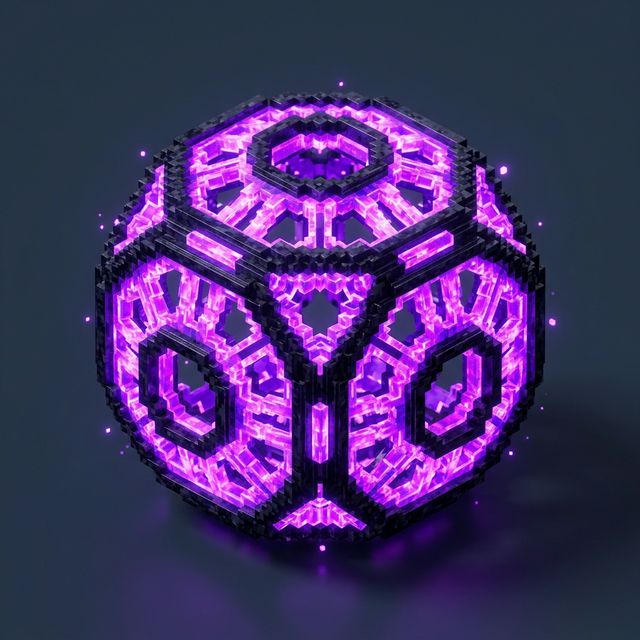
Sphere Generator
Need a full ball instead of a dome? Build complete spheres with 3D preview and layer blueprints.

Pixel Generator
Create flat shapes with custom radius, hollow or filled, smooth mode, and half/quarter options.

Shape Chart
Visual reference for every diameter from 3 to 256, with block counts and pixel grids.